Tools for the team

The marketplace platform and two finance apps used by the team.

Screens are shared with my employer’s agreement. Real figures are hidden or replaced with made-up ones. Select an image for the full view.

Marketplace intelligence platform

I built the web app behind the team’s reports: designed its workflows, data rules and checks, used AI coding assistants for most code, and reviewed and tested every change before release. It has run on the company server since October 2026, serving about 10 staff.

It imports browser-tool files and shows ads, income and competitor prices for all four stores. An AI model suggests categories for new products, sending uncertain answers to staff.

These are real live-platform screens. Prices, figures, staff names and account details are redacted. Dark screens show an earlier version.
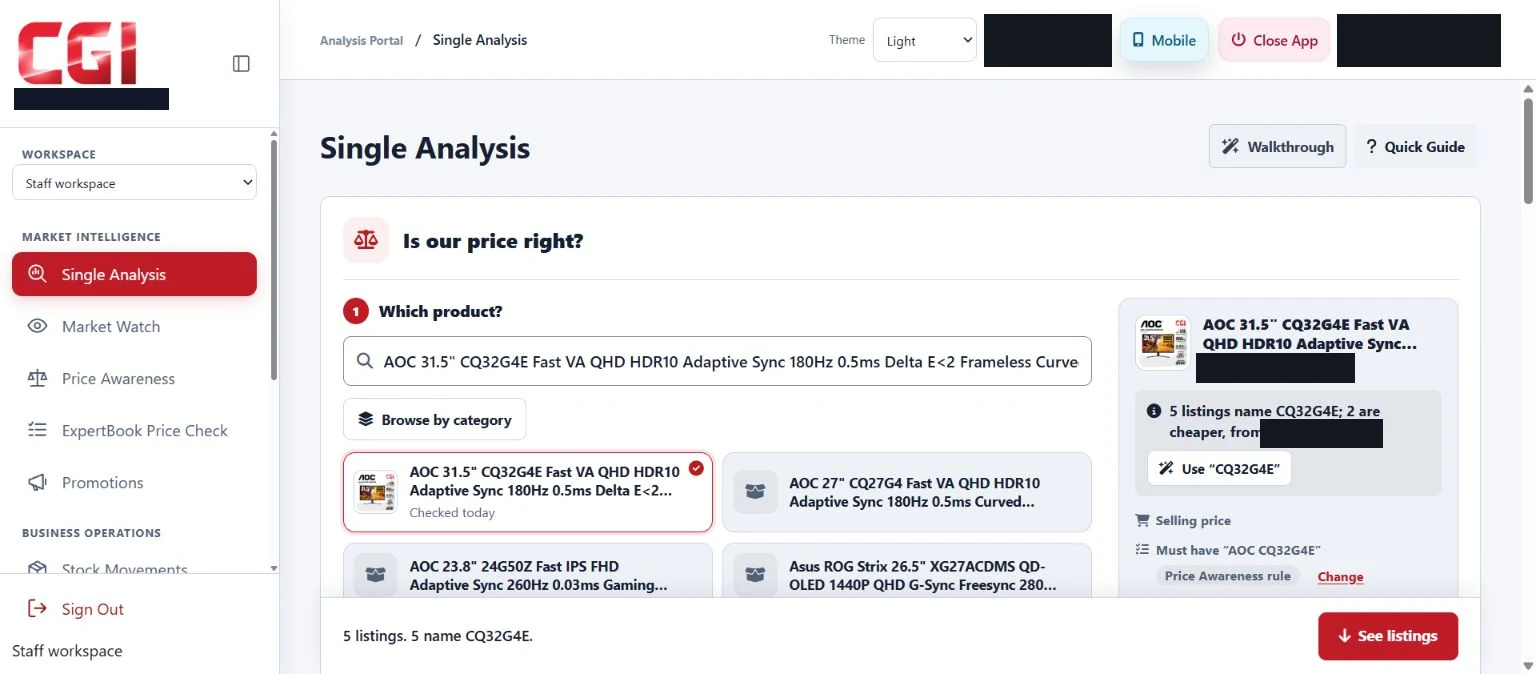
Single Analysis page asking Is our price right?, with an AOC monitor selected and similar listings below; prices hidden (opens larger view)
“Is our price right?”: staff pick one of our products and compare it with the other listings. Prices are hidden.
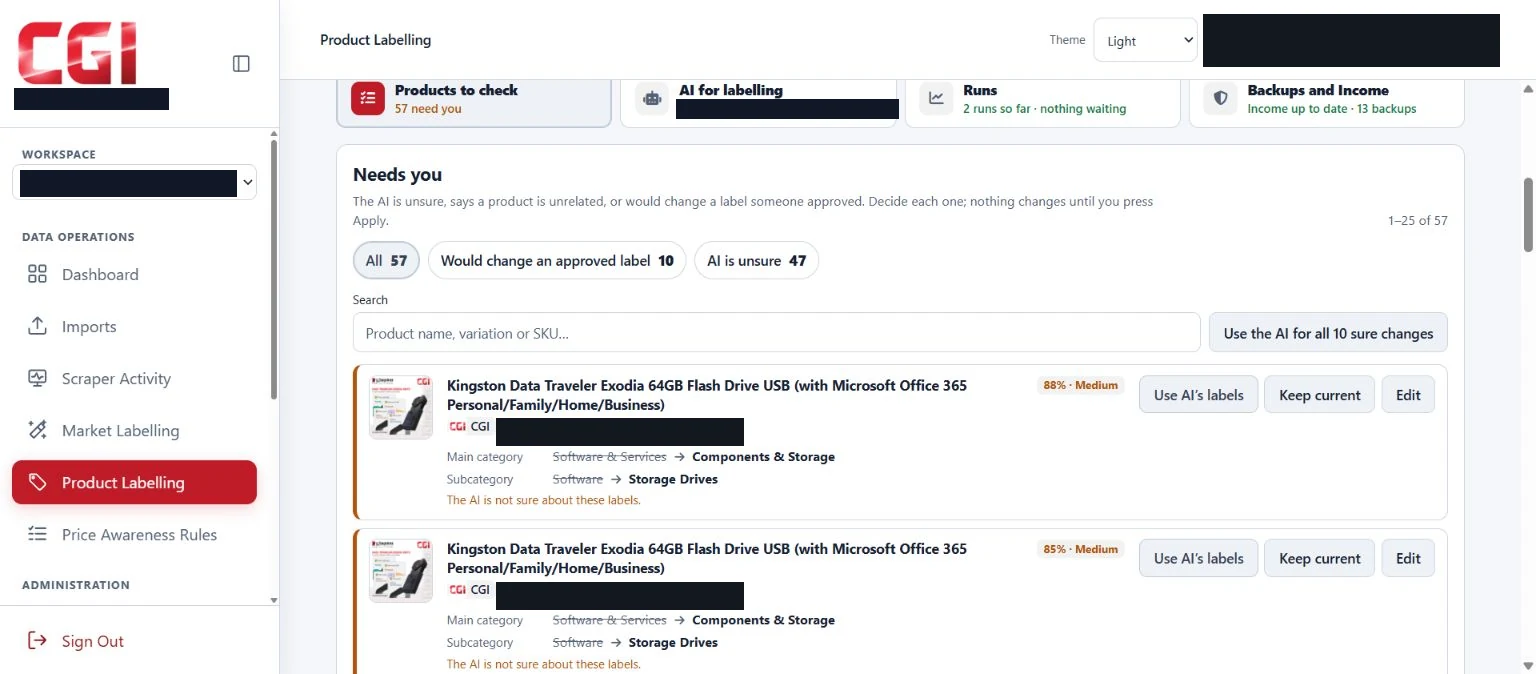
Product labelling queue: 57 products need a person, each with the AI's suggested category and its confidence (opens larger view)
AI label suggestions waiting for staff
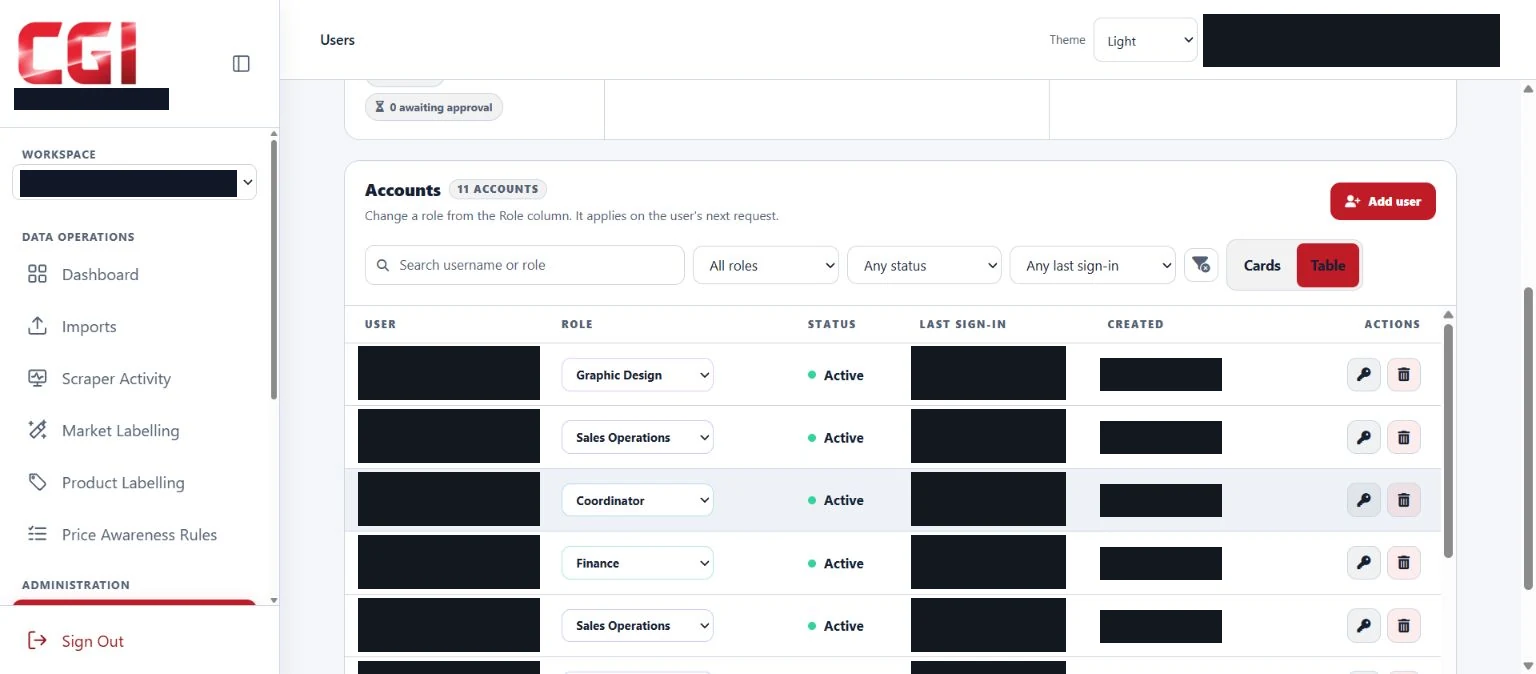
Users page with 11 accounts, each with a role and status; names hidden (opens larger view)
Staff accounts and roles
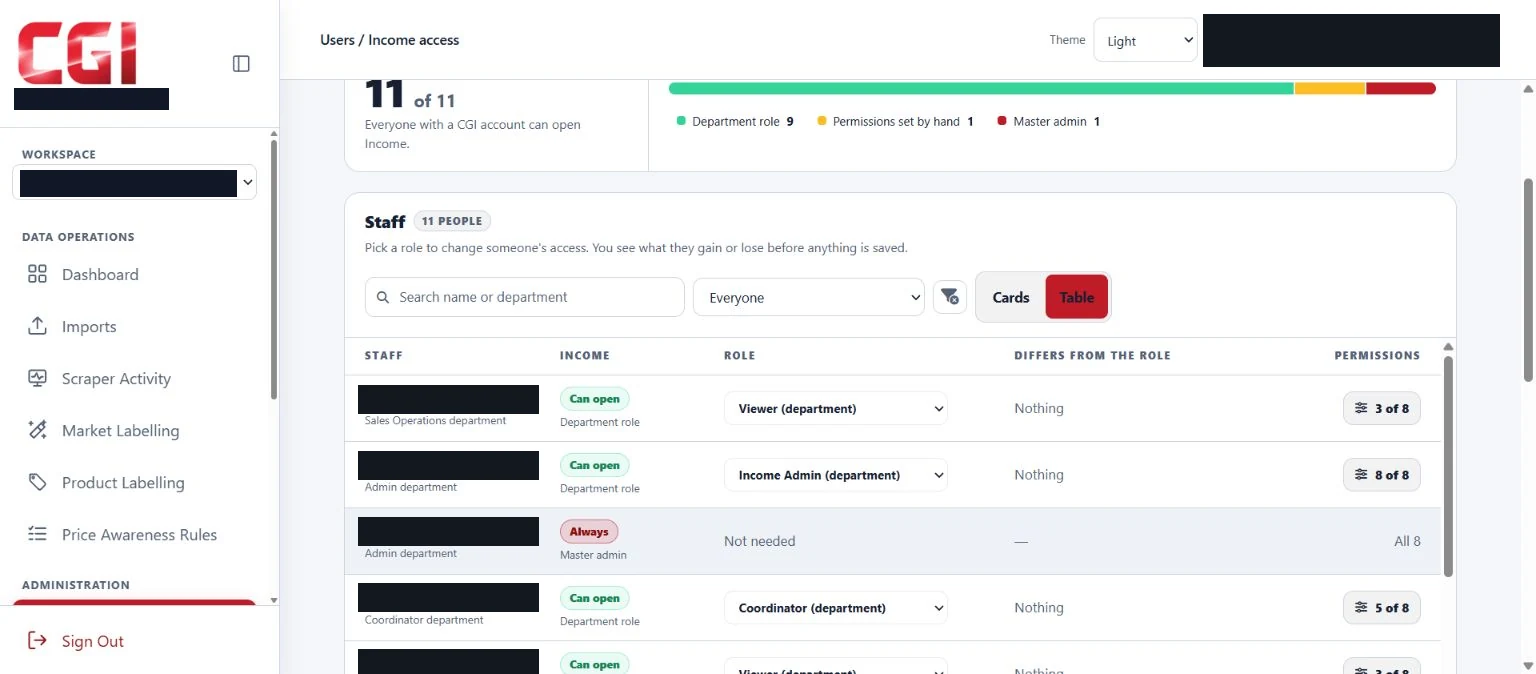
Income access page listing staff by department, role and permissions; names hidden (opens larger view)
Who can see income data
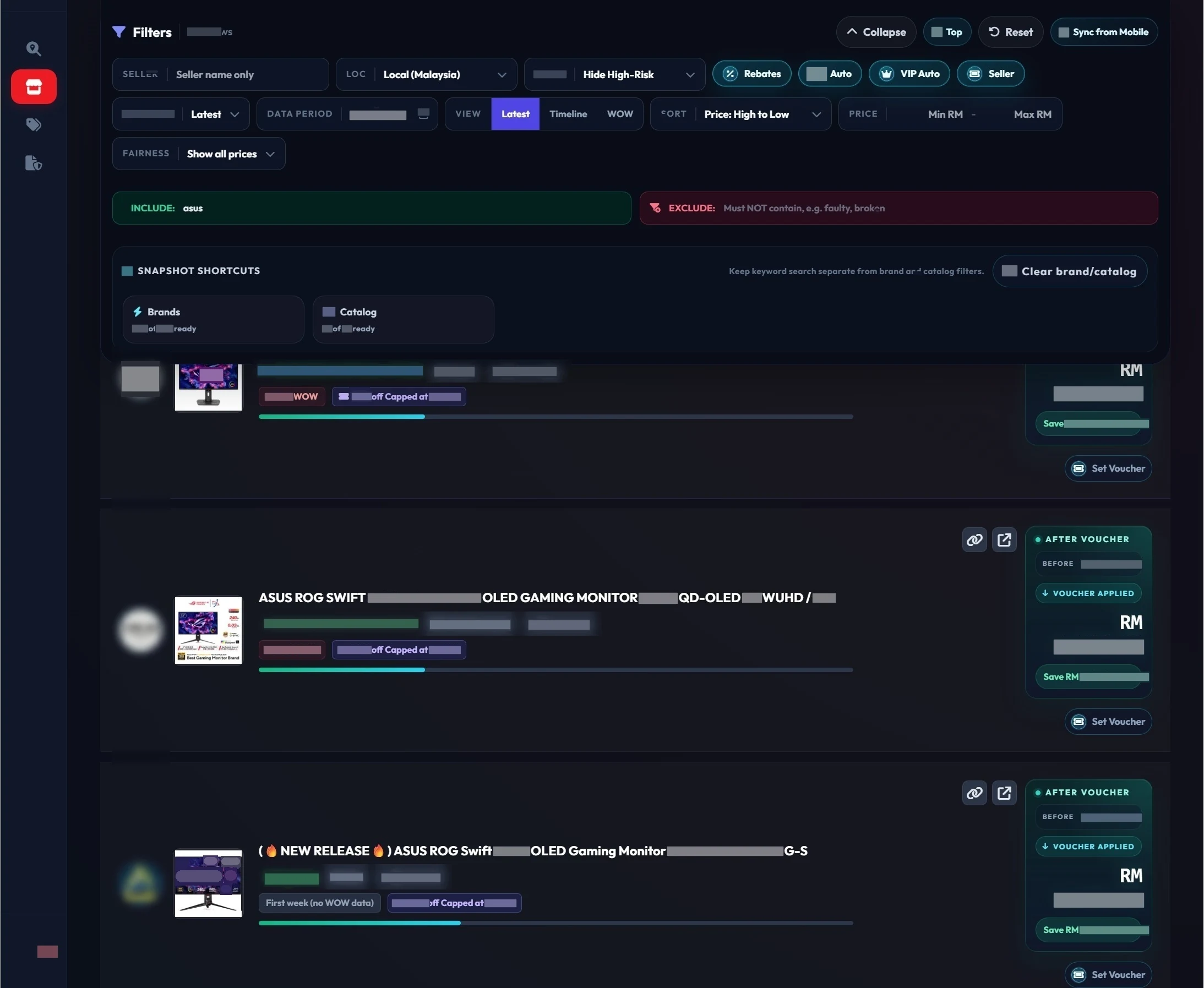
Dark-theme competitor listing page with filters and ASUS ROG monitor listings; prices hidden (opens larger view)
Competitor listings (earlier version)
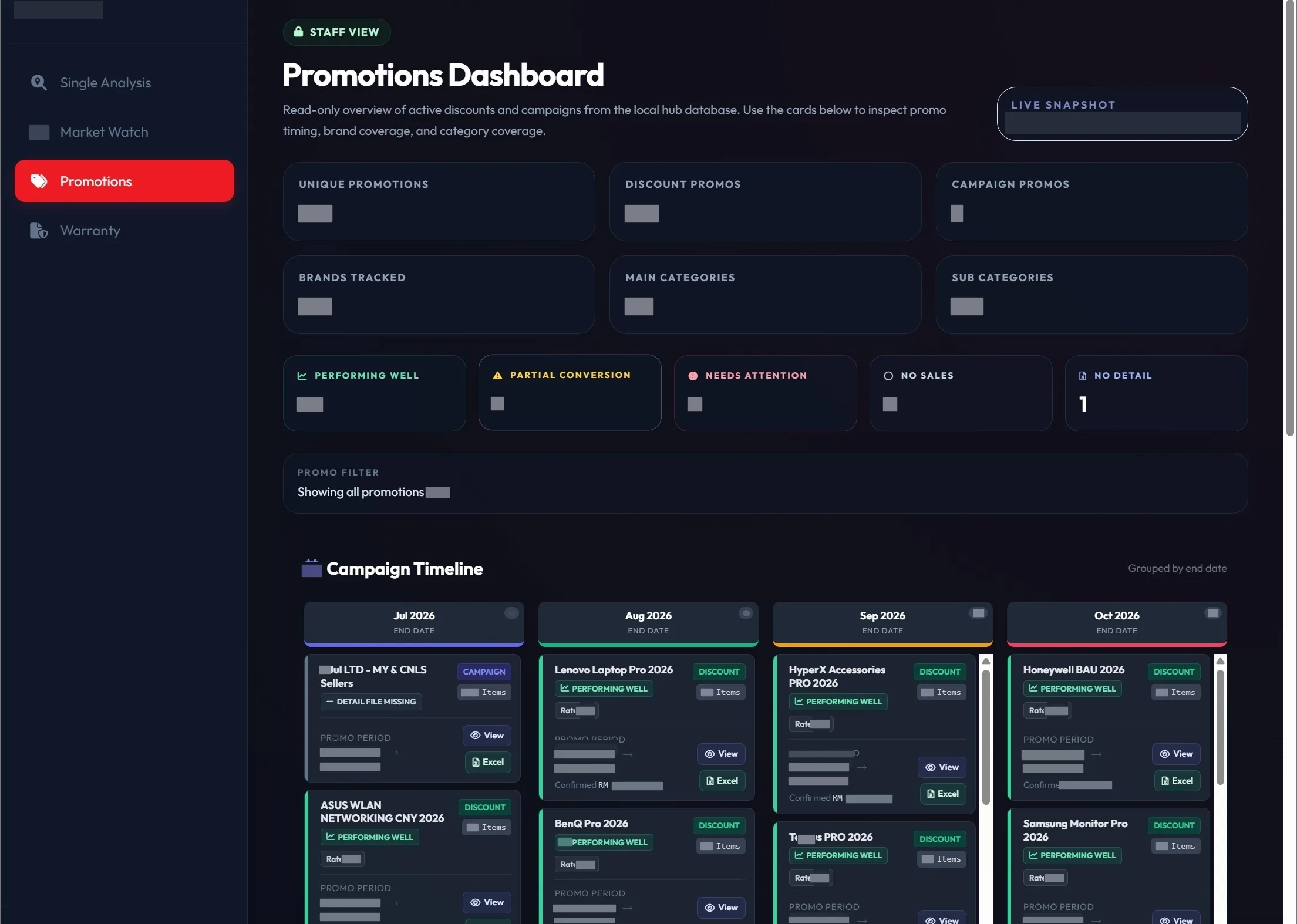
Dark-theme promotions dashboard with a campaign timeline by month; figures hidden (opens larger view)
Promotions by end date (earlier version)
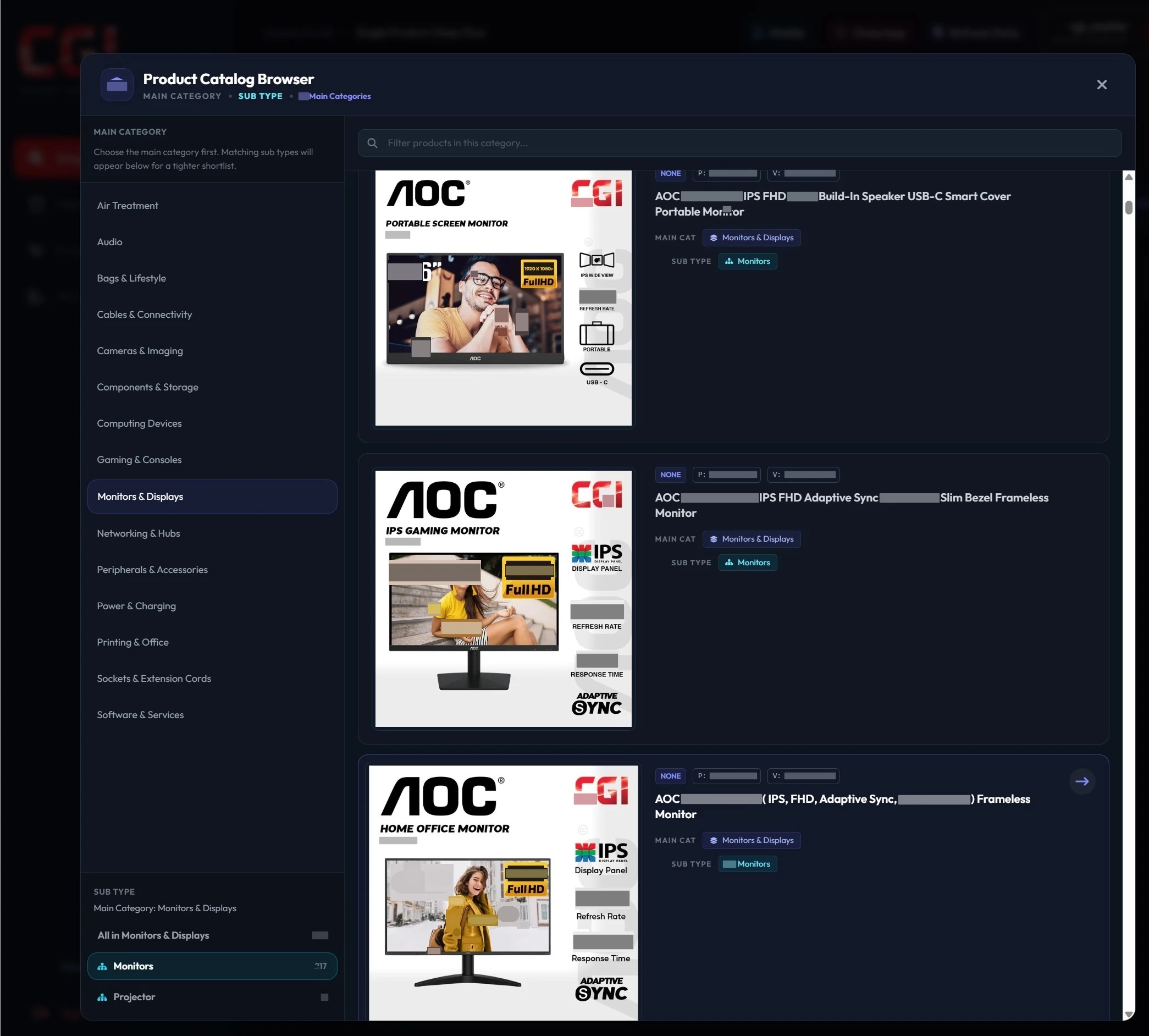
Dark-theme product catalog browser showing AOC monitors under Monitors and Displays (opens larger view)
Product catalog (earlier version)

Python, Flask, SQLite, JavaScript, Chrome extensions, AI model APIs, scikit-learn, Docker, GitHub Actions

How it works

  • 12 browser tools collect income and order reports, competitor listings and promotions from three marketplaces, plus Shopee and Lazada ad reports. New data awaits staff review.
  • AI product labels apply automatically only when confidence is high and the product is unlabelled. Other answers await staff review; every change is backed up and logged. An older machine-learning model labels competitor listings.
  • The admin page controls staff accounts, access permissions and the AI model used by each feature.
  • Automated tests check each change before merge (3,700+ Python test functions). Docker and GitHub Actions ship updates, restoring the previous version if a health check fails. Migration from SQLite to PostgreSQL is in progress.
Finance apps: supplier claims and project profit

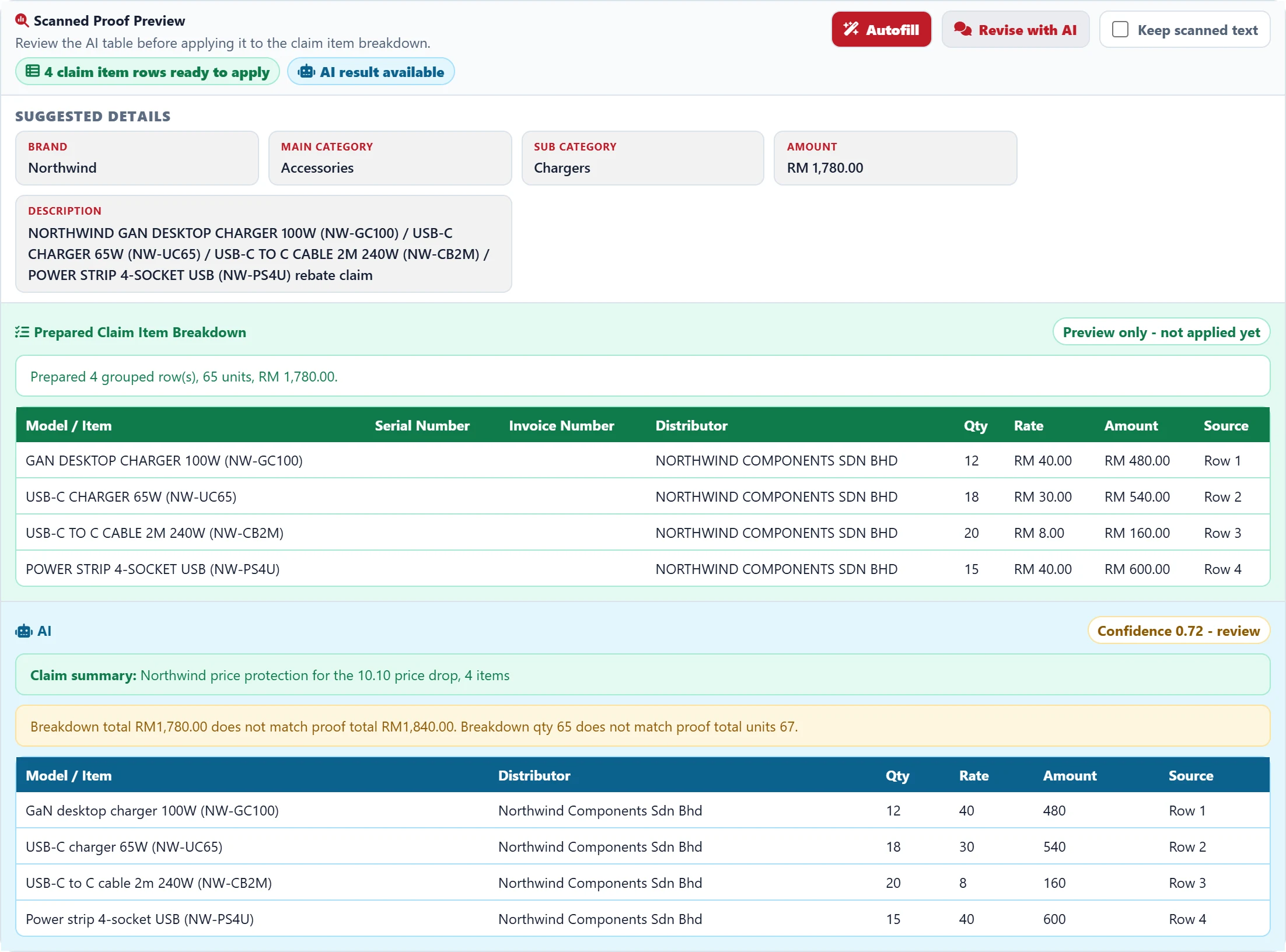
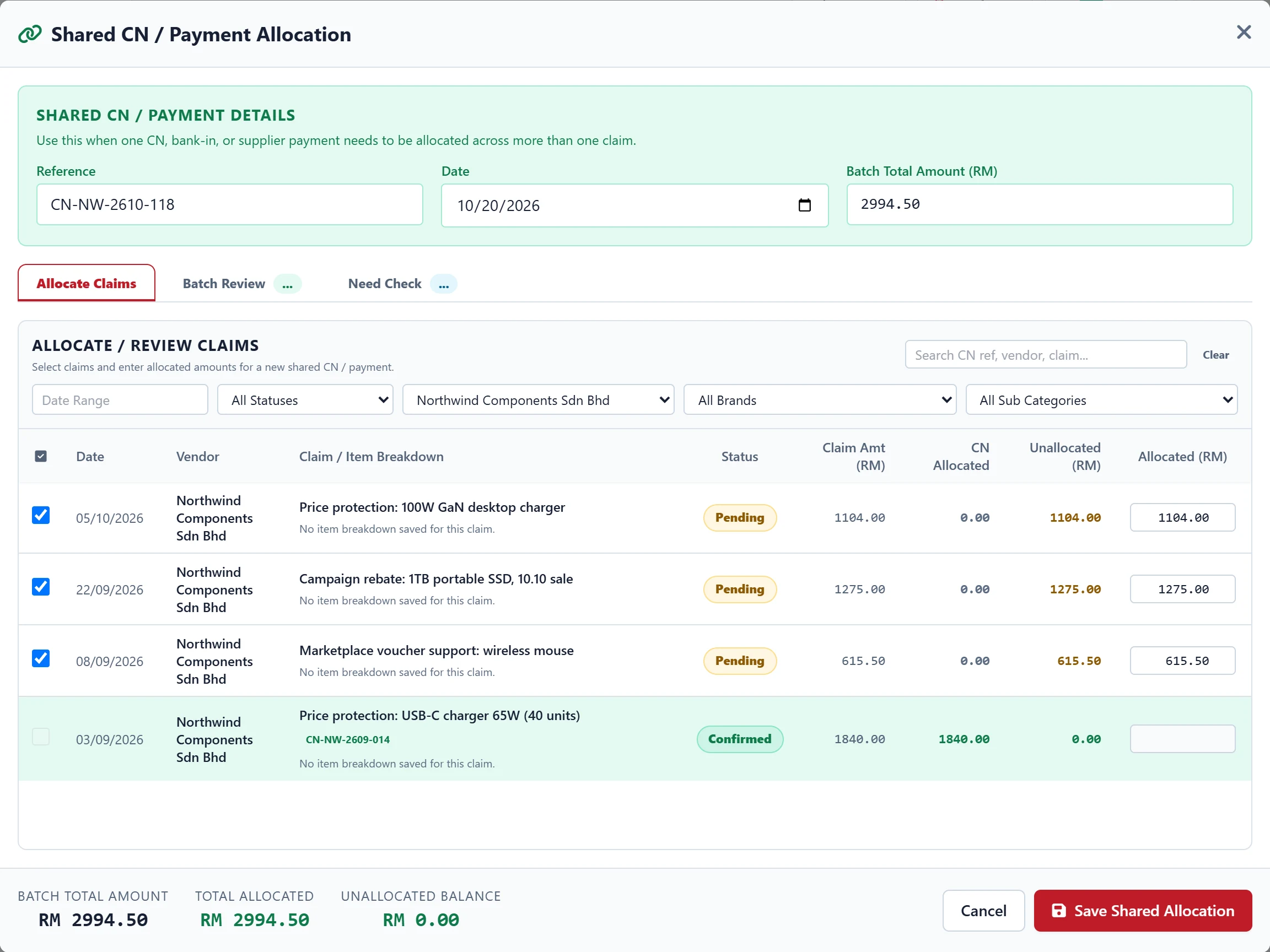
Two finance apps share the platform’s sign-in. The claims app replaced a spreadsheet. It uses AI to read supplier proof, checks row sums against the total and tracks payments. The project profit app reads supplier invoices, checks them against the PDF and locks approved profit statements.

Claim proof preview: four item rows read by the AI total RM1,780 against a proof total of RM1,840; made-up data (opens larger view)
The AI has read the proof’s rows, and the total check shows they are RM60 short. Made-up data.
Credit note allocation: one RM2,994.50 credit note split across three claims, RM0.00 left; made-up data (opens larger view)
One credit note shared across three claims
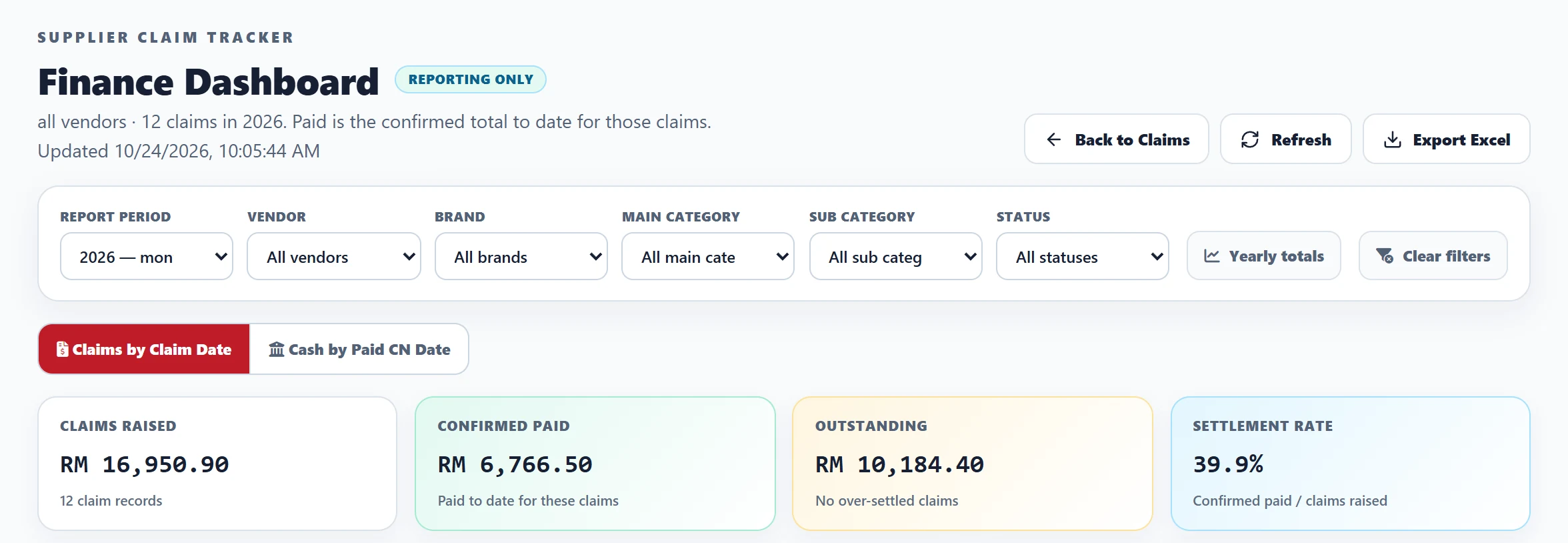
Claims dashboard with claims raised, paid, outstanding and settlement rate; made-up data (opens larger view)
Claimed, paid and still owed
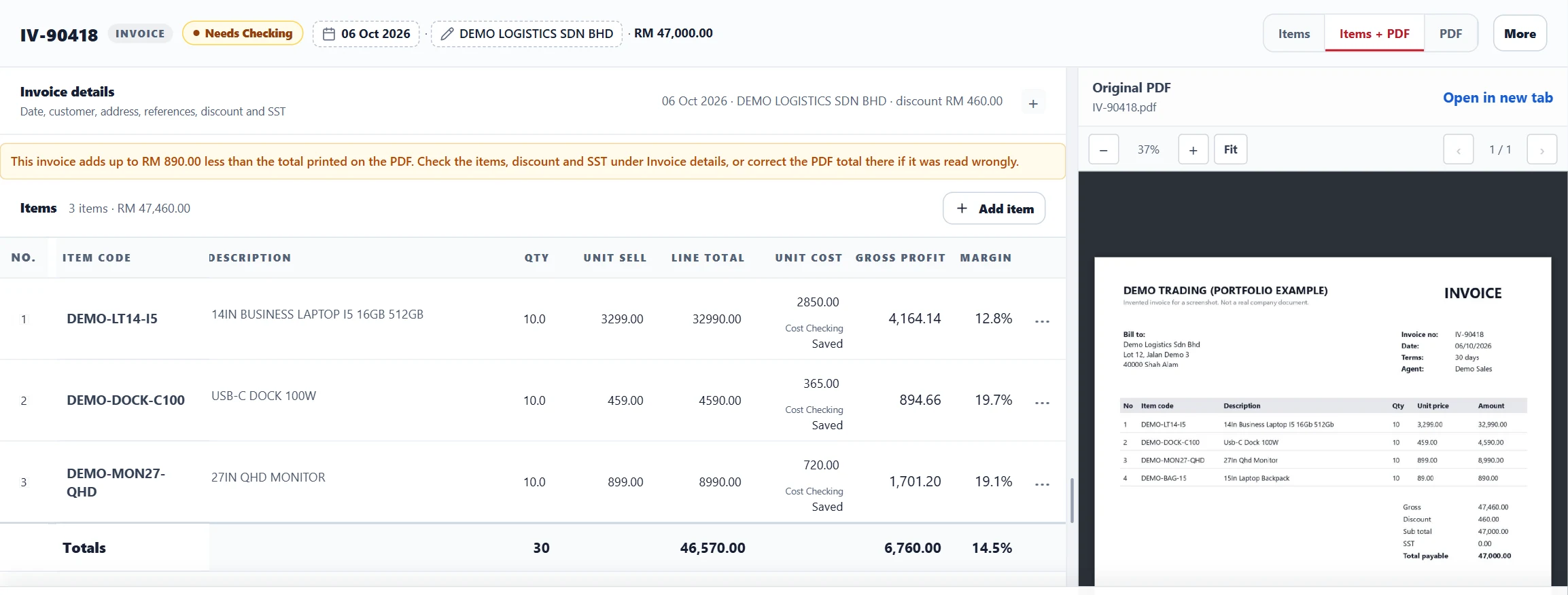
Invoice review: three lines read against a four-line PDF, RM890 short of the printed total; made-up data (opens larger view)
An invoice that is RM890 short
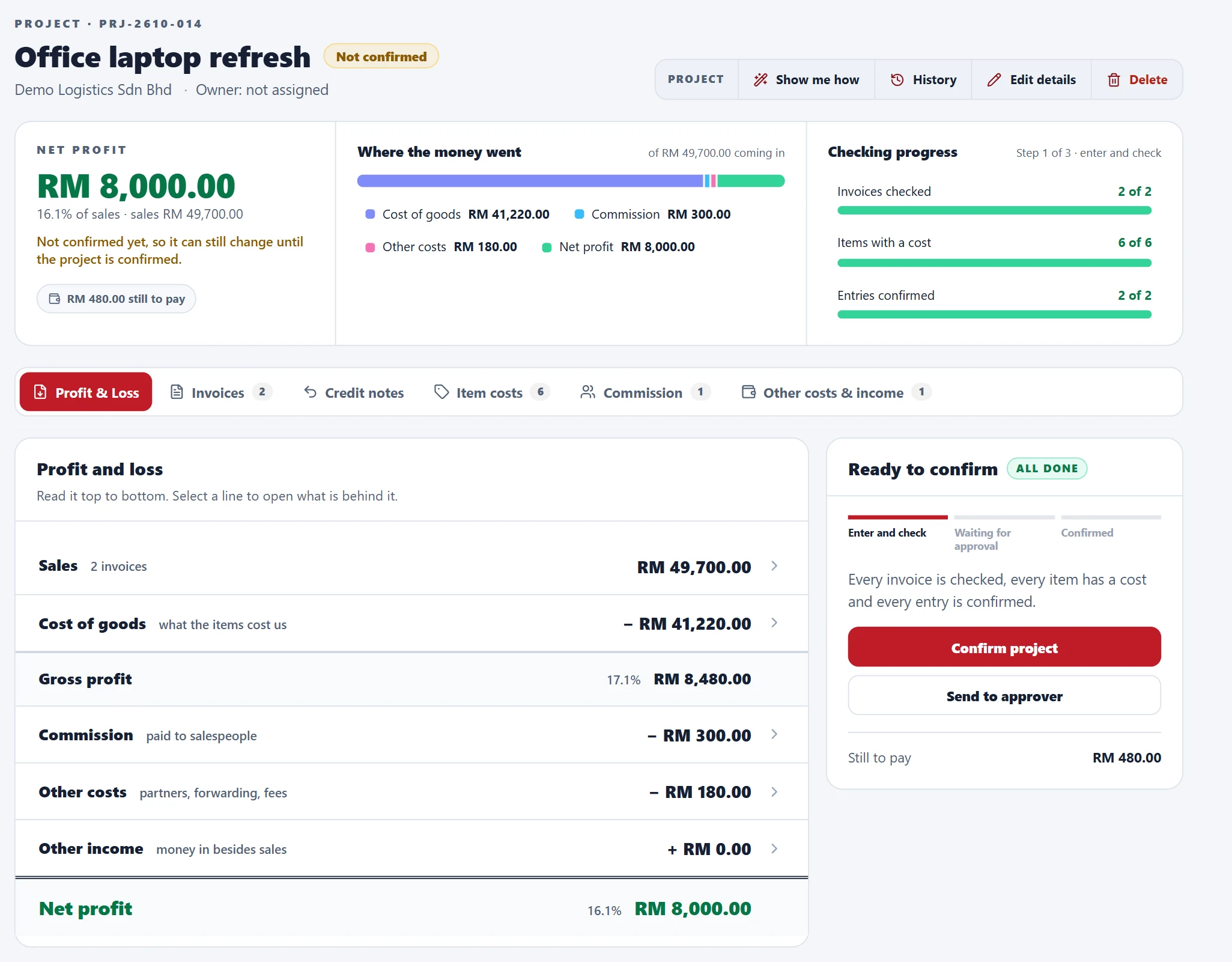
Project profit and loss statement ending in a net profit of RM8,000; made-up data (opens larger view)
The project’s profit statement
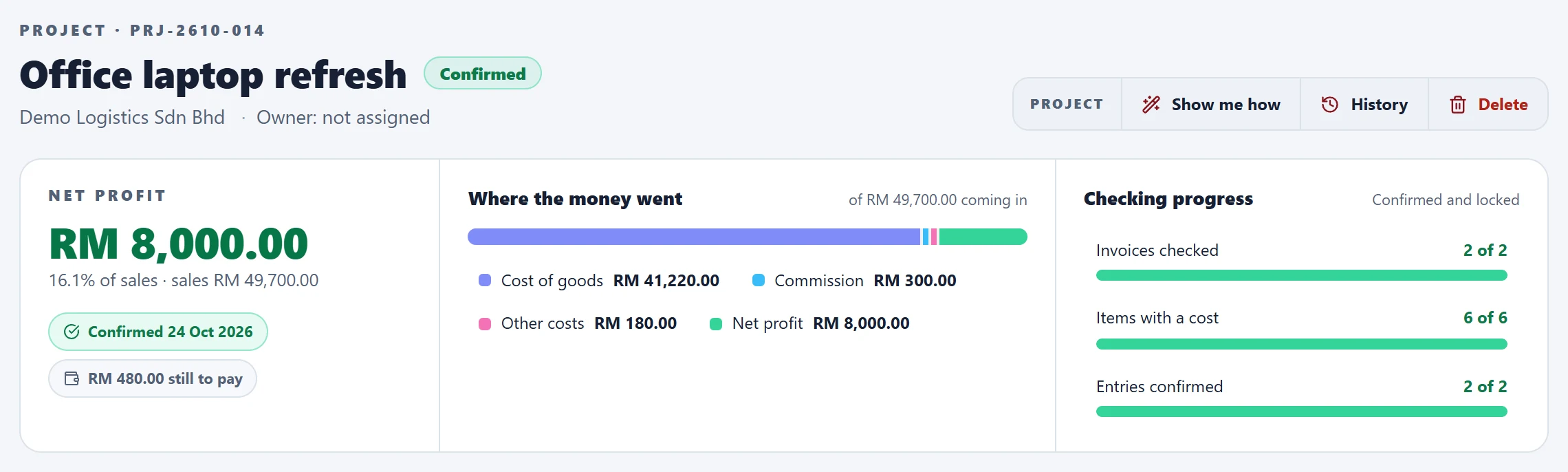
Confirmed project with its net profit locked; made-up data (opens larger view)
Confirmed and locked
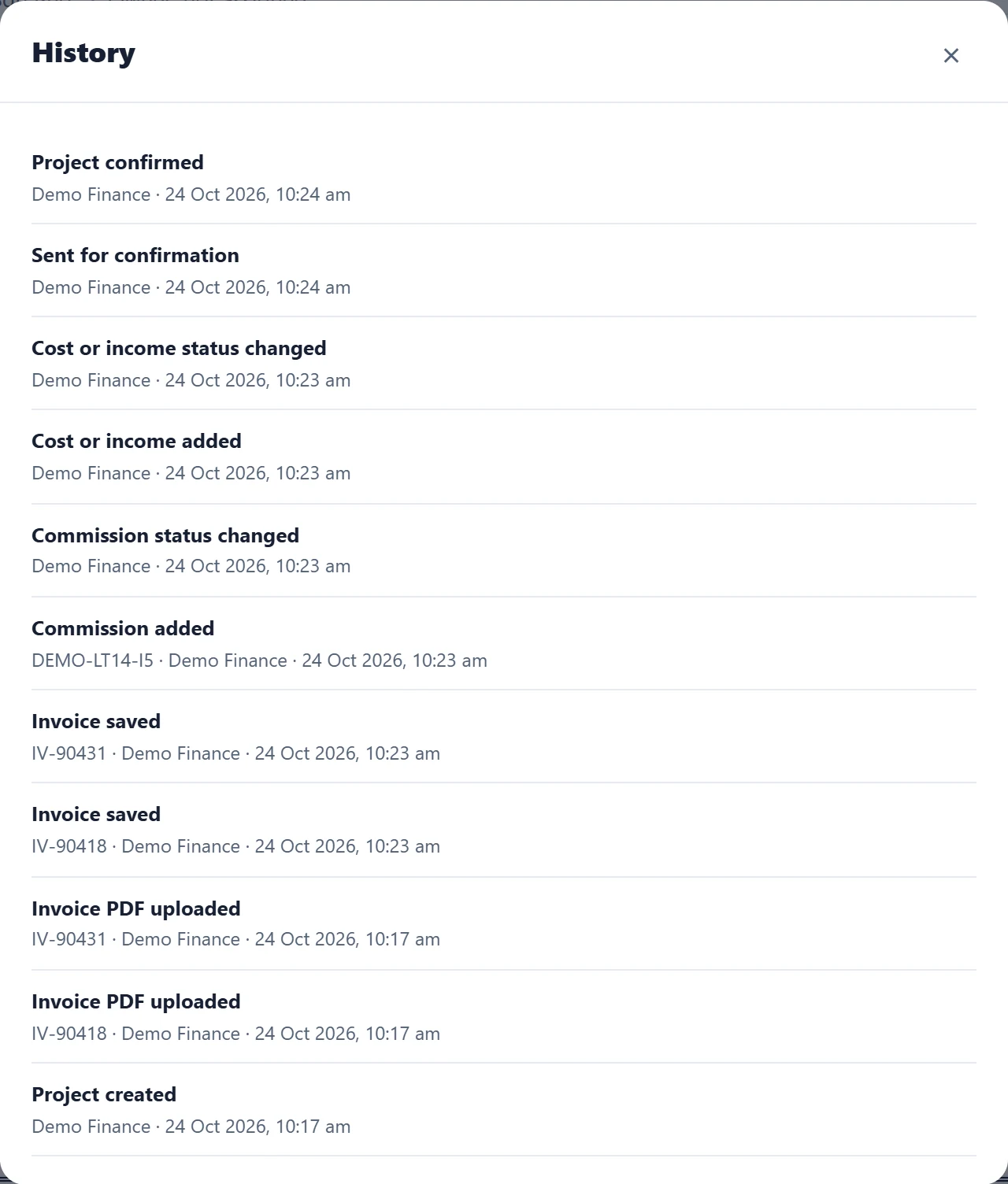
Project history listing every change with user and time; made-up data (opens larger view)
Every change, with who and when

Python, Flask, SQLAlchemy, SQLite, AI vision extraction, EasyOCR, openpyxl

How it works

  • Claims checks block duplicates within a batch, prevent stale forms overwriting newer changes and ensure resubmission does not create another record.
  • The built-in AI help desk answers claim questions within each user’s access permissions.